
How to Set the Time and Date on Your Watch
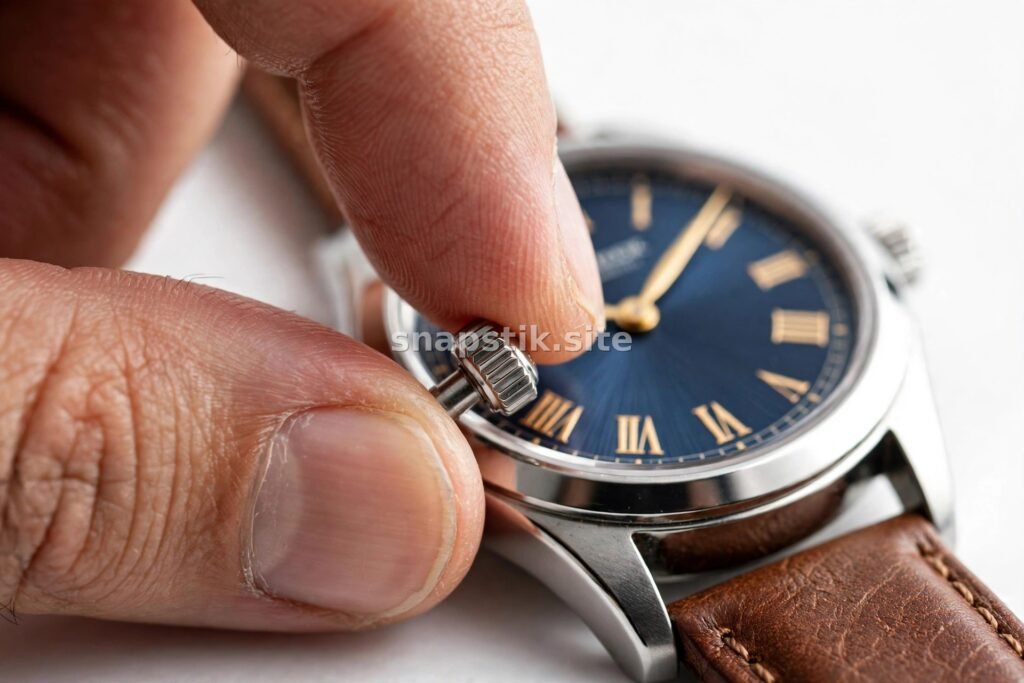
Setting the time and date on a watch sounds simple — until you pick up a watch with a screw-down crown, a quick-set date, or a day-date display and realise you are not sure what to do. Worse, setting the date at the wrong time can damage the movement. Here is a clear guide to setting any watch correctly and safely.
Understanding the Crown Positions
Most watches have a crown — the small knob on the side of the case — with two or three positions. Pushed fully in, the crown is in its normal position and the watch runs. Pulled out one click, it usually sets the date. Pulled out two clicks, it sets the time. On a watch with a screw-down crown, you must first unscrew the crown by turning it anti-clockwise until it pops out, and screw it back down firmly when you are finished. Never force a crown, and never leave a screw-down crown unscrewed — it is part of the watch’s water resistance.
How to Set the Time
To set the time, pull the crown out to its furthest position and turn it until the hands show the correct time. If your watch has a date, take care to set the time correctly for AM or PM: turn the hands past 12 o’clock and watch whether the date changes. If it changes, you have just passed midnight; if it does not, you have passed noon. Set the time, then push the crown back in. On a quartz watch, the second hand will stop when the crown is pulled out and restart when you push it back in — you can use this to set the time to the second.
How to Set the Date Safely
This is the part that matters most. Never change the date while the watch is between 9 PM and 3 AM. During those hours, the date-change mechanism is engaged, and forcing it can break the gears. If your watch shows the wrong date and the time is in the danger zone, first move the time forward to a safe hour — 6 AM, for example — then set the date, then set the correct time. To set the date, pull the crown out to the first click and turn it (usually clockwise) until the correct date appears. If your watch has a quick-set date, it will change with a few turns; if it does not, you will need to turn the hands through 24 hours to advance the date by one day.
Setting a Day-Date Watch
Day-date watches show both the day of the week and the date. The crown usually has an extra function: turning it one way sets the date, turning it the other way sets the day. The same 9 PM to 3 AM rule applies — never adjust the day or date during those hours. Set the day first, then the date, then the time, and always finish by pushing the crown fully in and screwing it down if it is a screw-down crown.
Setting an Automatic Watch After It Stops
If your automatic watch has stopped because you have not worn it, wind it first: with the crown pushed in, turn it clockwise about 20–30 times. Then set the time and date as above. Do not shake the watch violently to start it — gentle winding is safer for the movement. If you want to understand how the movement inside works, our guide to watch movements explained for beginners covers automatic, manual and quartz movements in plain language. For a refresher on the difference between the two main types, see automatic vs quartz watches.
Common Mistakes to Avoid
- Setting the date between 9 PM and 3 AM: the most common cause of damage. Always check the time first.
- Forcing the crown: if it does not turn smoothly, stop and check the position.
- Leaving a screw-down crown loose: water resistance depends on it being screwed down.
- Setting the time backwards: most watches can be set backwards safely, but it is better to go forward, especially on watches with a date.
The date display is one of the most useful complications on a watch — you can learn about the others in our guide to watch complications explained simply. Set your watch carefully, respect the danger zone, and it will keep perfect time for years.

Gold vs Silver vs Rose Gold Watches

The Best Everyday Watches Under $200
Best Watches for Small Wrists
About The Author

Beauty Hub
Beauty Hub is a small independent website sharing practical, honest guides on nails, beauty, skincare, fashion, watches, cakes and home decor — plus plain-English guides to everyday money topics. Everything here is researched and written by our own team, with images created by us for each article.